
The server toolbox with fewer loose parts
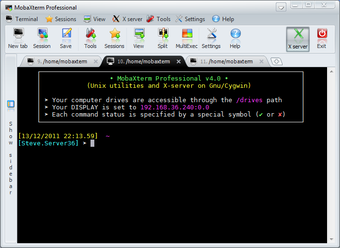
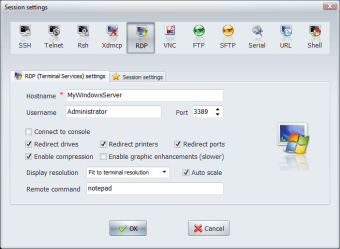
MobaXterm, developed by Mobatek, is a remote computing toolbox for Windows that combines a tabbed terminal, X11 server, and network utilities in one interface. It centralizes SSH, RDP, VNC, FTP and SFTP, Telnet, and serial sessions while adding an embedded Unix-like environment and graphical SFTP file handling. The suite fits IT administrators, network engineers, and developers managing several remote systems.
Top Recommended Alternative
SSH, X11, and tabs walk into one app
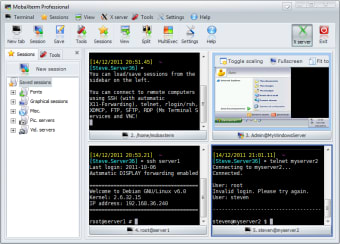
MobaXterm works as a multi-protocol remote workstation by combining an X11 server and tabbed SSH client in one executable. Users can open remote graphical applications, manage terminal sessions, and run common Unix commands without switching between separate tools. Its session manager also keeps recurring server connections organized, which helps when remote maintenance becomes a daily routine.
Portable access without the admin-rights drama
The Portable Edition can run without administrative privileges, making it useful on restricted work machines or from removable storage. MobaXterm initiates SSH, FTP and SFTP, RDP, VNC, Telnet, and serial connections from the client side, so access still depends on reachable hosts, valid credentials, and workplace network rules. Portability helps deployment, but it does not bypass security requirements.
File transfers and command repeats behave nicely
The graphical SFTP browser opens automatically during SSH sessions, giving users a drag-and-drop way to move files between local and remote folders. Multi-execution mode sends the same command to multiple open terminals, which helps with repeated server tasks. These tools reduce the need for separate file-transfer utilities, though users still need enough command-line knowledge to avoid costly mistakes.
Secure tools still need careful hands
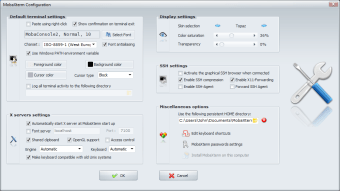
MobaXterm supports secure protocols such as SSH and SFTP, along with saved session and credential options for professional remote access. That makes it suitable for managed environments where admins control authentication and endpoint policies. However, the interface is dense, and beginners can find the number of panels, buttons, protocols, and settings intimidating at first.
Best for people with too many servers
MobaXterm is a practical choice for technical users who need SSH client, X11, SFTP, and multi-session tools in one place. Its strongest value is consolidation: terminals, remote sessions, file transfers, and Unix-style utilities sit inside one workspace. New users face a learning curve, but experienced admins and developers get a powerful daily driver for remote work.